
Quizlet: More than Flashcards
Quizlet Inc.Education
4.758.71K Reviews
- Version
- 10.60
- Installs
- 50.00M
- Age Rating
- Everyone
Screenshots

Our Review of Quizlet: More than Flashcards
 Analysis by Appyee
I use Quizlet most when I have a clear pile of material to learn but not a clear plan for tackling it. A vocabulary list, anatomy terms, or dates from a history chapter can all feel daunting when they sit on a page. Turning that material into prompts gives me a practical first step: I can test what I remember instead of rereading the same notes and hoping they stick.
That is the useful idea behind this education app from Quizlet Inc.: it is not only a place to flip through digital cards, but a set of study tools that can take a topic from raw information to repeated practice. The app is free to download, rated for Everyone, and has a 4.7 average from around 855,000 ratings. It has passed 50 million installs, which says something about its reach, though popularity alone cannot tell you whether a particular set is accurate or well made.
Start with the material you actually need to learn
My best results come when I begin with a defined goal rather than browsing at random. Before making a set, I decide what I should be able to recall: a term and its definition, a word and its translation, or a date and the event attached to it. That small bit of editing matters. If a card contains a whole paragraph of notes, it can be difficult to tell whether I know the answer or merely recognize the wording.
When I already have a study list, creating my own cards gives me control over the phrasing and the level of detail. I can split a complicated idea into smaller questions, add an image where a visual cue helps, or use audio when hearing a word is part of learning it. For example, I would treat a new language differently from a set of historical dates: pronunciation is relevant to the first, while a short cause-and-effect prompt may be more useful than a bare date for the second.
Move from recognition to recall
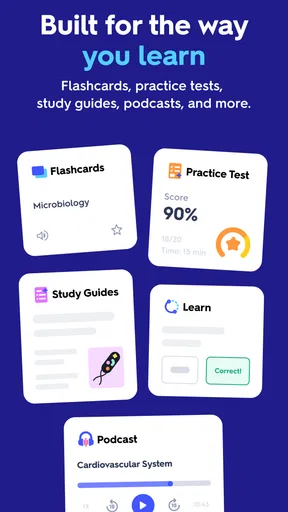
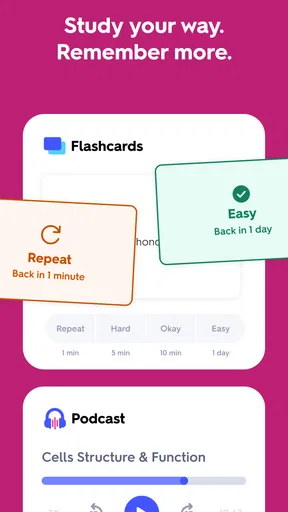
The different modes give me more than one way to revisit the same material. Flashcards are a low-pressure place to get familiar with a set. "Learn" asks questions and tracks progress, while "Write" makes me produce an answer rather than simply spot it among choices. That distinction is important: recognizing a correct definition is easier than retrieving it from memory, so I use the more demanding style when I need to check whether I can answer without a hint.
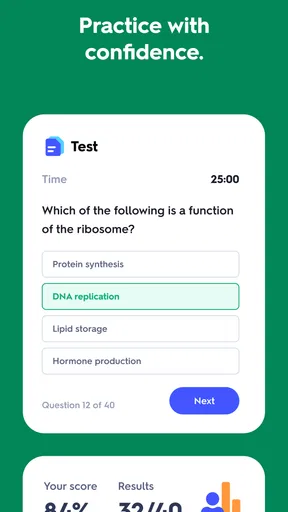
"Match" adds a quick, game-like round in which I pair terms with definitions. I like it for a short break or an initial pass through familiar material, but I would not treat speed in a matching game as proof that I can explain a concept. The "Test" mode is a more varied check, drawing multiple-choice, true-or-false, and written questions from a set. I find it useful as a self-check before class or a study session, while still keeping my original notes nearby for topics that need fuller explanations.
Use shared sets carefully, then make them yours
Public sets can save time when I want to get started quickly. Searching for a topic may turn up material made by other learners, and that can be a helpful shortcut when I am reviewing a common subject. But shared content is a starting point, not a guarantee of quality. I check whether the wording matches what I have been taught, whether answers are clear, and whether the set covers the details I actually need. If it is close but not quite right, making my own version is usually better than memorizing a mismatch.
There is also a practical choice between breadth and precision. A large set may look comprehensive, but a smaller one focused on the next quiz or chapter is easier to work through and review. I prefer to divide a long list into sensible groups, then return to the difficult cards rather than making every session feel like a marathon. That keeps the app tied to a specific learning task instead of turning it into another place to collect material I may never study.
The Power of Flashcards and Beyond
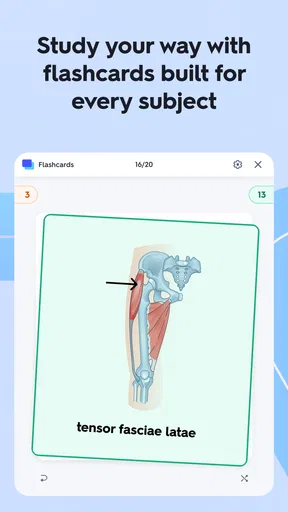
At its core, Quizlet started as a flashcard app, but it’s evolved into so much more. The app offers a variety of study modes that cater to different learning styles. Besides the traditional flashcards, you can dive into "Learn" mode, where the app quizzes you and tracks your progress, or "Write" mode, which challenges you to recall information by typing it out.
One of my favorite features is "Match," a game-like mode where you match terms with their definitions as quickly as possible. It’s not just fun—it’s a sneaky way to get some extra practice in without feeling like you’re studying. And for those of us who need a little extra motivation, there’s the "Test" mode, which generates a quiz from your flashcards, complete with multiple-choice, true/false, and written questions.
Customization and Community
What really sets Quizlet apart is its customization. You can create your own sets of flashcards tailored to your specific needs. I’ve used it for everything from language learning to brushing up on historical dates. Plus, the app supports images and audio, so you can make your cards as engaging as possible.
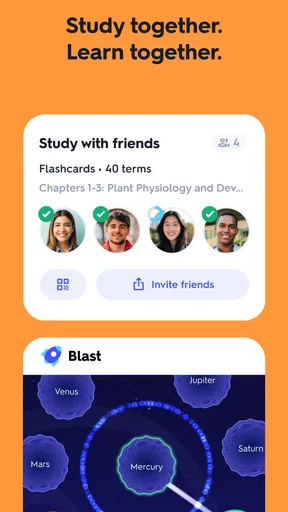
But you don’t have to go it alone. Quizlet has a massive community of users who have created millions of public flashcard sets. So, if you’re feeling lazy or just need a quick study session, you can search for and use sets that others have shared. It’s like having access to a global study group at your fingertips.
Seamless Experience Across Devices
One of the things I appreciate most about Quizlet is its seamless experience across devices. Whether I’m on my phone, tablet, or laptop, my progress is always synced. This flexibility means I can squeeze in a quick study session no matter where I am—waiting for the bus, on my lunch break, or just lounging at home.
And let’s not forget the offline feature, which is a lifesaver for those times when you’re without an internet connection. Just download your sets beforehand, and you’re good to go.
Where the study flow can break
A useful routine is to make a focused set after class, use a quick round of cards to spot what is unfamiliar, then switch to typed recall or a test to check what you can produce unaided. I might do this on the bus before an afternoon lesson: review a small set of terms, mark the ones I hesitate over, and spend the remaining time on those rather than restarting the whole list. The outcome is a clearer sense of what needs attention, not a substitute for understanding the lesson.
That workflow can stumble if the source material is messy. A copied list may have inconsistent definitions, duplicate entries, or questions that make sense only in the original notes. Before studying, I read through the set once as an editor. I rewrite vague prompts, separate ideas that ask for two answers at once, and keep explanations short enough to test. It takes a little time up front, but it prevents repeated practice from reinforcing a confusing card.
Another handoff to watch is moving from an app-made quiz to real work. A multiple-choice result can feel reassuring even when I could not explain the answer aloud or apply it to a new example. For a class that expects written reasoning, I use cards to learn the vocabulary and then close the app and solve a problem or explain the concept in my own words. For language practice, I might say the answer aloud after typing it. The extra step reveals whether recall survives outside the familiar card format.
Compared with paper flashcards, the app is easier to carry and offers several ways to practise one set; paper can still be better when I want to sketch, annotate, or arrange concepts spatially. Compared with rereading notes, question-based practice gives me a more honest check on recall, but it takes preparation to turn notes into good prompts. And compared with a full course or textbook, it is a companion for repetition rather than a replacement for structured explanations, examples, and feedback from a teacher.
Who will get the most from it
I would recommend it to students who regularly need to memorize terms, definitions, formulas, or dates, and to independent learners who can turn a topic into concise questions. It also suits someone who likes studying in short sessions: a few cards between errands can be more manageable than opening a long set of notes. Teachers or study groups may also find shared sets useful as a common review resource, provided someone checks that the content fits the lesson.
I would skip it as a primary tool if the subject depends mainly on building an argument, interpreting a long reading, or practising a hands-on skill. A card can prompt the key idea, but it cannot provide the depth of a worked explanation or the experience of doing the task. It is also a poor fit if I know I will spend more time polishing a huge deck than actually reviewing it. In those cases, a notebook, course material, or direct practice is a better center for the work.
One question people often have is whether they need to create everything themselves. No: public sets can provide a quick starting point, but I treat them as drafts to inspect rather than authoritative course material. Another is whether the app is only useful for memorizing. The different practice modes make recall more active, though the quality of learning still depends on the questions and on applying the material beyond the set.
The app is free to start using, with in-app purchases listed from $1.99 to $44.99 per item, so I would check which tools I actually need before paying for anything. It is currently version 10.16 and requires Android 8.0 or later. Its long-running presence, released on August 20, 2013, helps explain why there is a large pool of shared material, but I would still judge each set on its own merits.
Customization and Community
What really sets Quizlet apart is its customization. You can create your own sets of flashcards tailored to your specific needs. I’ve used it for everything from language learning to brushing up on historical dates. Plus, the app supports images and audio, so you can make your cards as engaging as possible.
But you don’t have to go it alone. Quizlet has a massive community of users who have created millions of public flashcard sets. So, if you’re feeling lazy or just need a quick study session, you can search for and use sets that others have shared. It’s like having access to a global study group at your fingertips.
Seamless Experience Across Devices
One of the things I appreciate most about Quizlet is its seamless experience across devices. Whether I’m on my phone, tablet, or laptop, my progress is always synced. This flexibility means I can squeeze in a quick study session no matter where I am—waiting for the bus, on my lunch break, or just lounging at home.
And let’s not forget the offline feature, which is a lifesaver for those times when you’re without an internet connection. Just download your sets beforehand, and you’re good to go.
Final Thoughts
So, is Quizlet worth the download? Absolutely. It’s a versatile tool that caters to all kinds of learners. Whether you’re a student, a professional, or just someone looking to learn something new, it offers a unique and engaging way to study. Plus, with its community-created content, you’ll never run out of material to explore.
In the ever-evolving world of educational apps, Quizlet stands out as a reliable and innovative choice. So why not give it a try? It might just become your new favorite way to learn.
Privacy and Permissions
See what permissions an app requests and how it handles your data.
- Camera
- take pictures and videos
- Microphone
- record audio
- Wi-Fi connection information
- view Wi-Fi connections
- Other
- view network connections, full network access, run at startup, control vibration, prevent device from sleeping
Verdict
Strengths of Quizlet: More than Flashcards
- Intuitive interface enhances user experience.
- Diverse study modes keep learning engaging.
- Offline access for studying on the go.
- Customizable study sets for personalized learning.
- Collaboration features for group study sessions.
Limitations of Quizlet: More than Flashcards
- Limited free features; premium needed for more.
- Ads can be distracting during study sessions.
- Some study sets may contain errors.
- Not all features available offline.
- Requires internet for syncing across devices.
Other Releases by Quizlet Inc.
View All
Coconote - AI Note Taker
Education4.6
Similar Picks in This Category
View All
Duolingo: Language Lessons
Duolingo4.7

Google Classroom
Google LLC2.8

Unacademy: Learn & Crack Exams
Unacademy3.2

Bible App for Kids
Life.Church4.4

Cake - Learn English & Korean
Cake Corp.4.7

Brainly: AI Homework Helper
Brainly4.5
Frequently Asked Questions
What is Quizlet and how can it benefit my learning process?
Quizlet is a versatile learning app designed to enhance your study sessions through flashcards, games, and practice tests. It offers a wide range of subjects, allowing you to create personalized study sets or explore sets made by others. This adaptability makes it a valuable tool for students, teachers, and lifelong learners seeking efficient learning methods.
Is Quizlet free to use, or are there any subscription options?
Quizlet offers both free and paid subscription options. The free version provides basic features like creating and studying flashcards. However, the Quizlet Plus subscription unlocks additional features such as offline access, ad-free studying, and advanced study modes. This can be beneficial if you're looking for a more robust learning experience.
How user-friendly is the Quizlet app for beginners?
Quizlet is designed with user-friendliness in mind, making it accessible for beginners. The intuitive interface allows users to easily create and find study sets. Features like the Learn mode and Match game are straightforward, providing an engaging way to memorize concepts. Even if you're new to digital learning tools, Quizlet offers a smooth learning curve.
Can I collaborate with others using Quizlet?
Yes, Quizlet enables collaboration, making it ideal for group study sessions. Users can share their study sets with classmates or friends, facilitating collaborative learning. Additionally, teachers can create and distribute study materials to their students. This collaborative feature enhances the community aspect of learning, making it more interactive and social.
What devices are compatible with the Quizlet app?
Quizlet is compatible with a variety of devices, including smartphones, tablets, and computers. It is available for both Android and iOS platforms, ensuring accessibility across different user preferences. The app also offers a web version, allowing seamless transitions between devices. This flexibility caters to diverse study habits and environments.
